
Learn how to register GE appliances for warranty, determine appliance age via serial numbers, and verify your warranty start date with or without a receipt.
Buying a new appliance is a major milestone for any homeowner. Whether it’s a sleek GE Profile refrigerator or a heavy-duty washer, these machines are the workhorses of our daily lives. However, many owners overlook the most critical step after the delivery truck leaves: securing the warranty.
Understanding your GE appliance warranty doesn’t just mean tucking a receipt in a drawer. It involves knowing exactly when your coverage kicks in, how to prove it, and even how to “read” your appliance's history if that receipt goes missing.
In this guide, we’ll walk through the essentials of GE appliance registration and how to master the technicalities of warranty dates.
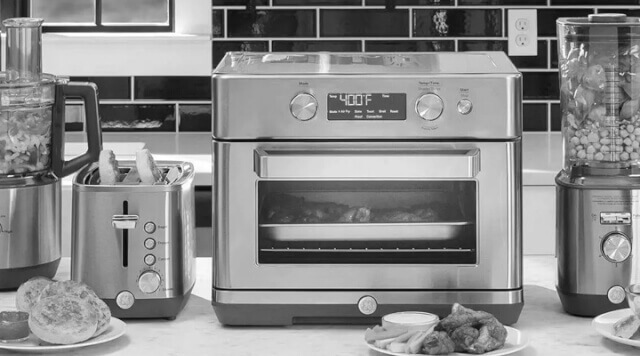

How to Register GE Appliances for Warranty
Registering your product is the fastest way to ensure GE has your information on file if a recall occurs or if you need to book a priority service repair.
The Quick Way (Mobile): Most modern GE units come with a QR code on the model/serial tag. Simply open your smartphone camera, scan the code, and it will take you directly to a pre-filled registration page.
The Manual Way (Desktop):
Visit the GE Appliances Registration site.
Log in or create a "My Account" profile.
Enter your Model Number and Serial Number.
Input your Installation Date (this is usually your purchase date or home closing date).
Pro Tip from Experience: I once helped a friend register a suite of appliances for a new construction home. We didn't have a "store receipt" because the builder bought them in bulk. If you’re in a new build, use your closing date or Certificate of Occupancy date as the purchase date. GE’s system is designed to accept builder letters or closing documents as valid proof.
Determining Your Warranty Start Date
There is often confusion about when a warranty actually begins. Per official GE policy, the Warranty Start Date is the date of original purchase.
To validate this date, you need one of the following:
A sales invoice or retail receipt.
A letter from your building contractor.
Proof of occupancy (for new homes).
What if you lost the receipt? This is a common "nightmare" scenario for homeowners. If you cannot provide proof of purchase, GE defaults to the manufacturing date to determine the warranty period. This is why knowing how to check your appliance's age is a crucial "save" for your wallet.
How to Determine GE Appliance Age
If you’ve moved into a home with existing appliances, you might not know how old that dishwasher really is. You can decode this information directly from the Serial Number.
GE uses a two-letter prefix at the start of the serial number to indicate the production date:
The First Letter: Represents the Month (e.g., A = January, D = February).
The Second Letter: Represents the Year (GE uses a cycling code where letters like 'Z' or 'G' correspond to specific years like 2024 or 2012).
For example, if your serial starts with "LS," it was manufactured in June 2021. Keeping a note of this helps you decide if a repair is worth the investment or if the unit is nearing the end of its typical 10-13 year lifespan.
Watch: Visual Guide to Decoding Your GE Serial Number
If you're still having trouble locating your model tag or figuring out the date code, this helpful video walk-through simplifies the entire process. It demonstrates exactly where to look on different types of units and shows you how to use the GE manufacture date chart in real-time to pinpoint your appliance's age.
Real-World Advice: Why Registration Matters
I’ve seen many forum users mention that they skipped registration because they "didn't want the marketing emails." However, one user shared a cautionary tale: their control board fried 11 months into ownership. Because they hadn't registered and had lost their paper receipt, the local technician initially tried to charge them, claiming the "manufacture date" on the sticker was 14 months old.
By having the unit registered online with the correct purchase date uploaded, the owner was able to prove they were still within the 1-year window, saving over $400 in parts and labor.
Frequently Asked Questions
When does my GE appliance warranty start?
Your GE appliance warranty starts on the original date of purchase. To validate this date, you must provide a sales invoice, a builder’s letter, or proof of occupancy for new homes. If no proof of purchase is available, GE will use the manufacturing date (determined by the serial number) as the start date.
How can I tell the age of my GE appliance without a receipt?
You can determine the age by decoding the two-letter prefix at the beginning of your serial number. The first letter represents the month of manufacture, and the second letter represents the year. This information is located on the model and serial tag, typically found inside the door or on the side of the unit.
Is it necessary to register my GE appliances for warranty coverage?
While warranty coverage is technically based on your purchase date, registration is highly recommended. It creates an official record of ownership, simplifies the claims process if you lose your receipt, and ensures you receive timely notifications regarding safety recalls or specialized product support.
Final Checklist for New Owners
Locate your tag: It’s usually inside the door frame of ovens/dishwashers or on the back of laundry units.
Take a photo: Snap a picture of the model/serial tag and the receipt. Store them in a "Home Maintenance" folder in your cloud storage.
Check the Manual: Every model has slightly different coverage (e.g., some sealed systems on refrigerators have longer 5-year warranties).
By taking ten minutes to register and understanding the logic behind your warranty start date, you ensure that your GE appliances remain a help—not a headache—for years to come.
Related Posts
How To Set Up GE Air Conditioner & Connect It To Internet!
I will be setting up my new GE Wi-Fi equipped air conditioner with the app. So, if you have not already done so, download the GE Smart EQ app.
Updating the Software on Your GE Appliance
Your GE appliance may receive a software update. This can happen immediately after you have connected your appliance to the network, or anytime you open the app and interact with it. In this case, I will show you what happens. Updating the Software on Your GE Appliance Updating the software on your GE appliance is
How To Connect GE Washer And Dryer To WiFi
Are you having trouble connecting your GE washer and dryer to WIFI SMART HQ? Look no further! This tutorial will walk you through the step-by-step process of getting your appliances connected and ready to use. Be patient, as the process may take a few minutes to complete. Connecting GE Washer and Dryer to WIFI SMART
Notice: Internet users spontaneously contributed the article content, and the article views only represent the author himself. This site only provides storage services, does not have ownership, and bears relevant legal liabilities. If you find plagiarism, infringement, or illegal content, please contact the administrator to delete it.