
Learn how to connect GE appliances to Alexa using the SmartHQ app. Discover top GE Appliances smart features, including remote monitoring for your GE refrigerator, voice-controlled ovens, and real-time alerts to simplify your smart home routine.
In the modern home, the kitchen is no longer just a place for meal prep—it’s the high-tech nerve center of our daily lives. If you’ve recently upgraded to GE smart appliances, you’re likely sitting on a goldmine of convenience. From remote monitoring GE refrigerator status while at the grocery store to preheating your oven with a simple voice command, the GE Appliances smart features are designed to shave minutes off your chores and add a layer of "wow" to your routine.
However, the leap from "connected appliance" to "smart home harmony" can sometimes feel a bit technical. If you’ve been wondering exactly how to connect GE appliances to Alexa, or what these features actually do in a real-world kitchen, this guide is for you.
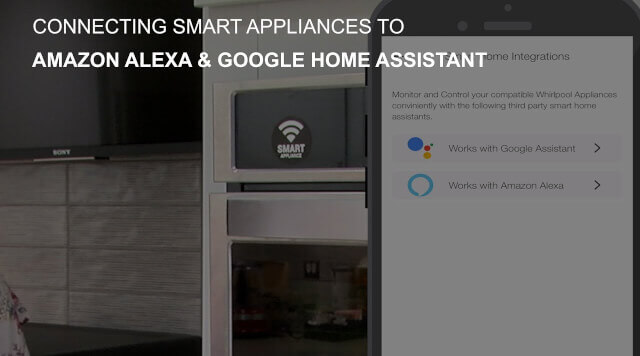

The Magic of U+ Connect: Why Go Smart?
At the heart of the GE smart ecosystem is U+ Connect. This technology acts as the bridge between your high-end hardware and the world’s most popular AI assistants. According to GE’s official support documentation, U+ Connect allows for a seamless integration that transforms your appliances from static machines into active participants in your home.
Imagine you're knee-deep in dough, your hands are covered in flour, and you realize you forgot to preheat the oven. Instead of washing up and manually pressing buttons, you simply say, "Alexa, tell Geneva to preheat the oven to 350 degrees." That is the power of a properly configured smart kitchen.
How to Connect GE Appliances to Alexa: Step-by-Step
Connecting your GE suite to Amazon Alexa is a two-part process involving the SmartHQ app (the brain of your GE appliances) and the Alexa app. Based on my experience and common user feedback, here is the smoothest path to success:
Download and Sync with SmartHQ: First, ensure your appliance is connected to your home Wi-Fi via the SmartHQ app. Pro tip from the community: If you run into connection issues, check if your router is pushing a 5GHz signal. Most appliances prefer 2.4GHz. Temporarily disabling the 5GHz band during setup often solves those "cannot find appliance" errors.
Enable the Skill: Open your Alexa app, navigate to "Skills & Games," and search for "SmartHQ" (formerly known as Geneva).
Link Your Accounts: Hit "Enable to Use" and log in using your GE/SmartHQ credentials. This authorizes Alexa to talk to your fridge, range, or dishwasher.
Discover Devices: Once linked, ask Alexa, "Alexa, discover my devices." She will scan your network and add your GE units to your smart home list.
To see these steps in action, check out this helpful video from GE Appliances. It provides a clear, visual walkthrough on using the SmartHQ app to sync your devices with Alexa, ensuring you get your smart kitchen up and running in no time.
Real-World Benefits: GE Appliances Smart Features
Beyond the initial setup, what does daily life look like with these features? It’s more than just a gimmick; it’s about peace of mind and efficiency.
Hands-Free Control: Use voice commands to set timers, check how much time is left on a wash cycle, or even ask your refrigerator to dispense a specific amount of water.
Precision Cooking: Some GE Profile models allow you to send specific cooking instructions directly from a recipe app to the oven, ensuring your roast is perfect every time.
Automatic Notifications: Your phone (or Alexa) can notify you the moment the dishwasher finishes or if the dryer has a load that needs fluffing.
Remote Monitoring: Your GE Refrigerator’s Best Friend
Perhaps the most underrated feature is the ability for remote monitoring GE refrigerator systems. We’ve all been there: you’re at the supermarket, staring at the dairy aisle, wondering if you actually have milk.
With the SmartHQ app and GE’s built-in cameras (found in select Profile and Café models), you can take a "peek" inside your fridge from your phone. But even without a camera, remote monitoring provides critical alerts:
Door Ajar Alerts: If the kids didn't quite close the freezer, you’ll get a push notification before your ice cream melts.
Temperature Tracking: If there’s a power outage or a cooling issue, you’ll know immediately, potentially saving hundreds of dollars in spoiled groceries.
Filter Status: No more guessing when to change that water filter; the app tracks usage and can even auto-order a replacement through Amazon.
A Personal Note on the "Smart" Learning Curve
Switching to a smart kitchen does come with a small learning curve. From talking to other smart home enthusiasts, the biggest hurdle isn't the tech itself—it's remembering to use it! It took me about a week to stop walking over to the oven to check the timer and instead just ask Alexa from the living room.
Once you get into the rhythm of using the GE Appliances smart features, going back to a "dumb" appliance feels like stepping back in time. The ability to troubleshoot issues through remote diagnostics—knowing exactly what’s wrong before a technician even arrives—is a game-changer for long-term maintenance.
Frequently Asked Questions
How do I connect my GE smart appliance to Alexa?
To connect your GE appliance, first sync it with the SmartHQ app. Then, open the Alexa app, search for the SmartHQ skill (formerly Geneva), and enable it by logging in with your GE account credentials. Finally, ask Alexa to "discover my devices" to complete the integration.
What are the main benefits of GE Appliances smart features?
GE smart features offer hands-free voice control via Alexa or Google Assistant, remote monitoring for peace of mind, and real-time notifications. Key capabilities include preheating your oven remotely, checking dishwasher cycle status, and receiving alerts if a refrigerator door is left open.
Can I monitor my GE refrigerator temperature remotely?
Yes. By using the SmartHQ app, you can perform remote monitoring of your GE refrigerator to track internal temperatures and receive instant push notifications if the cooling system encounters an issue or if power is lost, helping you prevent food spoilage.
Final Thoughts
Whether you are tech-obsessed or just looking for a way to make a busy household run more smoothly, knowing how to connect GE appliances to Alexa is the first step toward a more intuitive home. Start with the SmartHQ app, link your assistants, and let the remote monitoring do the heavy lifting for you.
Your kitchen is ready to work for you—all you have to do is start the conversation.
Related Posts
Your Smart Home: Guide to GE Appliances, Alexa, and Google
Learn how to connect GE appliances to WiFi using SmartHQ. Discover Alexa compatible appliances, Google Home integration, and smart IFTTT automation tips.
GE Profile™ ClearView™ Window Air Conditioner Installation
Today we're going to show you how to install the GE ProfileTM ClearViewTM Smart Window Air Conditioner. Register your product and connect your product to Wi-Fi.
Smart Choice Appliance Granite Countertop Dishwasher Installation Kit Review
Smart choice appliance. Today I have an exciting product to review for you the Smart Choice Granite Countertop Dishwasher Installation Kit.
Notice: Internet users spontaneously contributed the article content, and the article views only represent the author himself. This site only provides storage services, does not have ownership, and bears relevant legal liabilities. If you find plagiarism, infringement, or illegal content, please contact the administrator to delete it.